
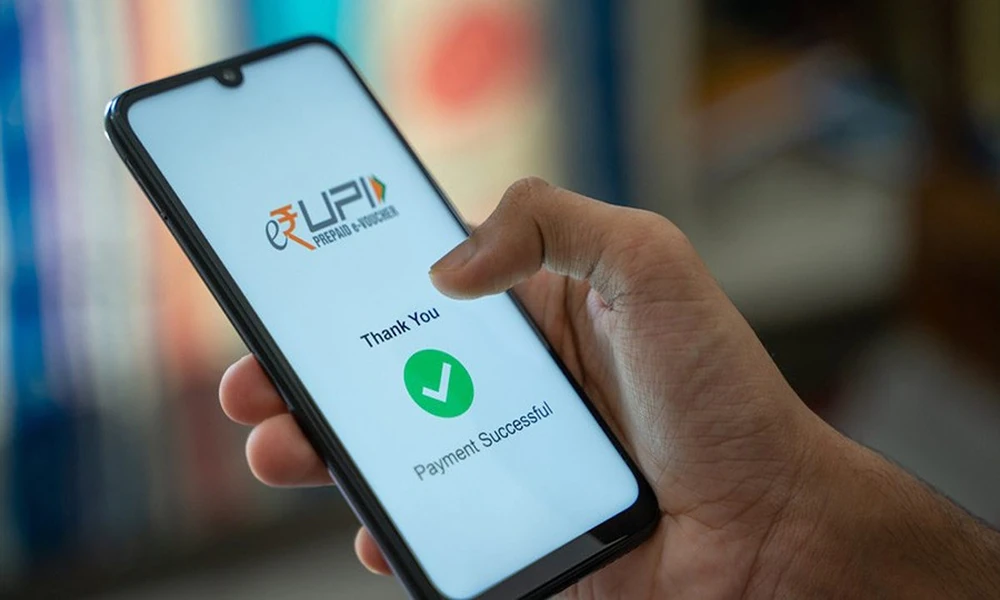
A UPI app can support a wide range of everyday payments, from transferring money to another person to paying a local merchant or settling household expenses. The process is usually quick, but convenience should still be supported by careful verification.
Every payment situation is slightly different. A transfer to a known contact may require one type of check, while a QR-code payment at a shop may require another. Understanding these differences can help users complete transactions more confidently and reduce avoidable mistakes.
The situations below show how UPI can fit into common daily payment needs.
Paying At A Local Store
One of the most common uses of a UPI app is making a payment at a shop.
The merchant may display a QR code that can be scanned through the app. Before confirming the payment, users should verify the merchant name shown on the screen and enter the correct amount if it has not been filled automatically.
This check is especially important in places where several QR codes may be displayed close together.
After entering the amount, the user authorises the transaction using the required UPI PIN.
The payment should be treated as complete only after the app shows the final transaction status.
Sending Money To Someone You Know
UPI can also be used for person-to-person transfers.
Depending on the app, money may be sent using a mobile number, UPI ID or another supported identifier.
The recipient information should be checked carefully before payment.
A contact with a similar name or an incorrectly entered UPI ID can lead to money being sent to the wrong account.
For a new recipient, users may prefer to confirm the details before sending a larger amount.
The speed of the transfer makes verification more important, not less.
Splitting A Shared Expense
Restaurant bills, travel costs and household purchases are often shared between several people.
Instead of calculating cash settlements separately, participants can transfer their share digitally.
The main challenge is keeping track of who has already paid.
A short payment note or transaction reference can make this easier.
When several transfers are happening within a short period, users should review the transaction history rather than relying only on notification messages.
This helps prevent duplicate transfers.
Paying A Merchant From A Distance
Some businesses may provide a UPI ID instead of a physical QR code.
In this situation, the identifier should be entered carefully.
Before authorising payment, confirm that the beneficiary name matches the intended merchant.
Users should be cautious if payment details arrive through an unfamiliar message or social-media account.
When possible, verify the payment identifier through the business’s official communication channel.
This is particularly important when paying for higher-value purchases.
Responding To A Payment Request
UPI apps may allow another user or merchant to send a collect request.
Receiving such a request does not mean money has already been received.
The user is being asked to approve a payment.
The amount and sender details should therefore be checked before entering the UPI PIN.
Unexpected collect requests should not be approved.
A common safety principle is simple: the UPI PIN is generally used to authorise money leaving the account, not to receive money.
Choosing Between Different Digital Payment Methods
A UPI app may exist alongside cards, net banking and digital wallets in a user’s broader payment routine. Each method can serve different situations depending on merchant acceptance, available balances and personal preference.
UPI generally links transactions directly to a supported bank account, while other digital payment methods may work differently.
Rather than using one method for every transaction, users can understand how each option works and choose the method appropriate for the situation.
The priority should remain successful, secure and traceable payment rather than simply selecting the fastest option.
Paying A Household Expense
A UPI app may also be used within broader household payment routines.
For example, users may pay supported electricity, broadband, mobile or other service bills through digital platforms that accept UPI.
Before payment, verify the biller, consumer number and amount due.
A bill payment differs from a simple person-to-person transfer because the transaction also needs to be correctly associated with the service account.
Saving the confirmation can be useful if the biller’s system takes time to update.
Shopping Online With UPI
At online checkout, a merchant may provide UPI as one of several payment methods.
The user may need to enter a UPI ID or approve a payment request through the app.
Before authorising the transaction, confirm that the merchant name and amount match the purchase.
Users should avoid approving payment requests that appear unexpectedly after leaving the merchant’s official checkout process.
If the transaction fails but the amount is debited, check the order and payment status before attempting a second payment.
Dealing With A Pending Transaction
A pending UPI payment can create uncertainty.
The amount may appear to have left the bank account while the beneficiary has not yet received confirmation.
The first response should be to check the transaction status rather than immediately trying again.
Repeated payments can create a duplicate transfer if the first transaction later succeeds.
Keep the transaction reference available.
If the payment remains unresolved, the reference can help when checking the status through the relevant bank or payment service.
Handling A Failed Payment
A failed transaction does not always mean that no money was debited.
Users should check the linked bank account before attempting another transfer.
If the amount was not deducted, another attempt may be appropriate.
If it was deducted, the reversal process should be monitored.
This is another reason why transaction history is important.
It provides a clearer record than relying only on pop-up messages displayed at the time of payment.
Using UPI For Repeated Small Purchases
Small digital payments can feel insignificant individually.
However, frequent spending on food, transport, subscriptions and other daily purchases can add up over a month.
A UPI app’s transaction history can therefore support personal budgeting.
Users can periodically review where money is being spent and identify categories that are growing.
This turns the payment record into more than a list of transactions.
It becomes a useful view of spending behaviour.
Paying Through A QR Code In A Busy Place
Restaurants, markets and events may involve fast-moving payment situations.
Users may feel pressure to scan and pay quickly.
However, a few seconds of verification remain important.
Check the displayed merchant name and payment amount before entering the UPI PIN.
If someone asks to see the payment confirmation, show only the necessary success screen rather than exposing unrelated account details.
Convenience should not require sacrificing privacy.
Managing More Than One Linked Bank Account
Some UPI apps allow users to link more than one supported bank account.
This can be useful when different accounts are used for different purposes.
For example, one account may be used for household expenses while another is reserved for personal spending.
Before making a payment, check which account has been selected.
Choosing the wrong account may disrupt budgeting or leave insufficient funds for upcoming obligations.
Protecting The UPI PIN
The UPI PIN should remain confidential.
It should not be shared with another person, including someone claiming to provide customer support.
Users should also be cautious of callers who ask them to install unfamiliar software or share their screen during a financial transaction.
Legitimate payment problems should be handled through official support channels.
The same caution applies to OTPs and other banking credentials.
Recognising Suspicious Requests
Fraudulent messages may claim that money is waiting to be received but require the user to approve a transaction first.
Users should pause whenever a payment request does not match an action they initiated.
A person sending money to you generally does not need your UPI PIN.
Unexpected QR codes, collect requests and urgent payment links should therefore be verified independently.
Speed is one of UPI’s advantages, but scammers may also use urgency to discourage careful checking.
Reviewing Transactions At The End Of The Week
A short weekly review can make digital payments easier to track.
Users can check completed, failed and reversed transactions and compare them with their expected spending.
This is particularly helpful when several small payments are made each day.
The review can also identify unusual transactions sooner.
Any payment that cannot be recognised should be investigated through the appropriate official channel.
Conclusion
A UPI app can make everyday payments easier across shops, online purchases, personal transfers and supported household expenses. Its usefulness comes from fast digital access, but safe usage still depends on verifying recipients, amounts and transaction status.
Users should protect their UPI PIN, review unexpected collect requests and avoid repeating pending payments without checking their status.
When transaction records are reviewed regularly and each payment is confirmed carefully, UPI can become a practical part of a well-organised digital payment routine.
Frequently Asked Questions
1. What Is A UPI App Used For?
A UPI app can be used for supported bank-to-bank transfers, merchant payments, QR-code transactions and other eligible digital payments.
2. Do I Need To Enter My UPI PIN To Receive Money?
Generally, a UPI PIN is used to authorise outgoing payments rather than to receive money, so unexpected requests asking for a PIN should be treated cautiously.
3. What Should I Do If A UPI Payment Is Pending?
Check the transaction status and bank account before making another payment, and keep the transaction reference for follow-up if required.
4. Can I Link More Than One Bank Account To A UPI App?
Some UPI apps support multiple eligible bank accounts, subject to the features and rules of the app and participating banks.
5. How Can I Make UPI Payments More Secure?
Verify recipient details, protect your UPI PIN, avoid unknown links and QR codes, and use only official payment or banking channels.